
-
Products
-
Restaurant OS
Unified, cloud-based platform to run and scale your restaurant — POS, inventory, online ordering, and guest experience in one place.
Hotel OS
Complete cloud-based system to manage rooms, bookings, distribution, and guest experiences effortlessly.
-
-
Solutions
-
- Pricing
- About Company
- More
 Log In
🔥 Restaurant OS • Back of House
The Kitchen That Never Misses an Order.
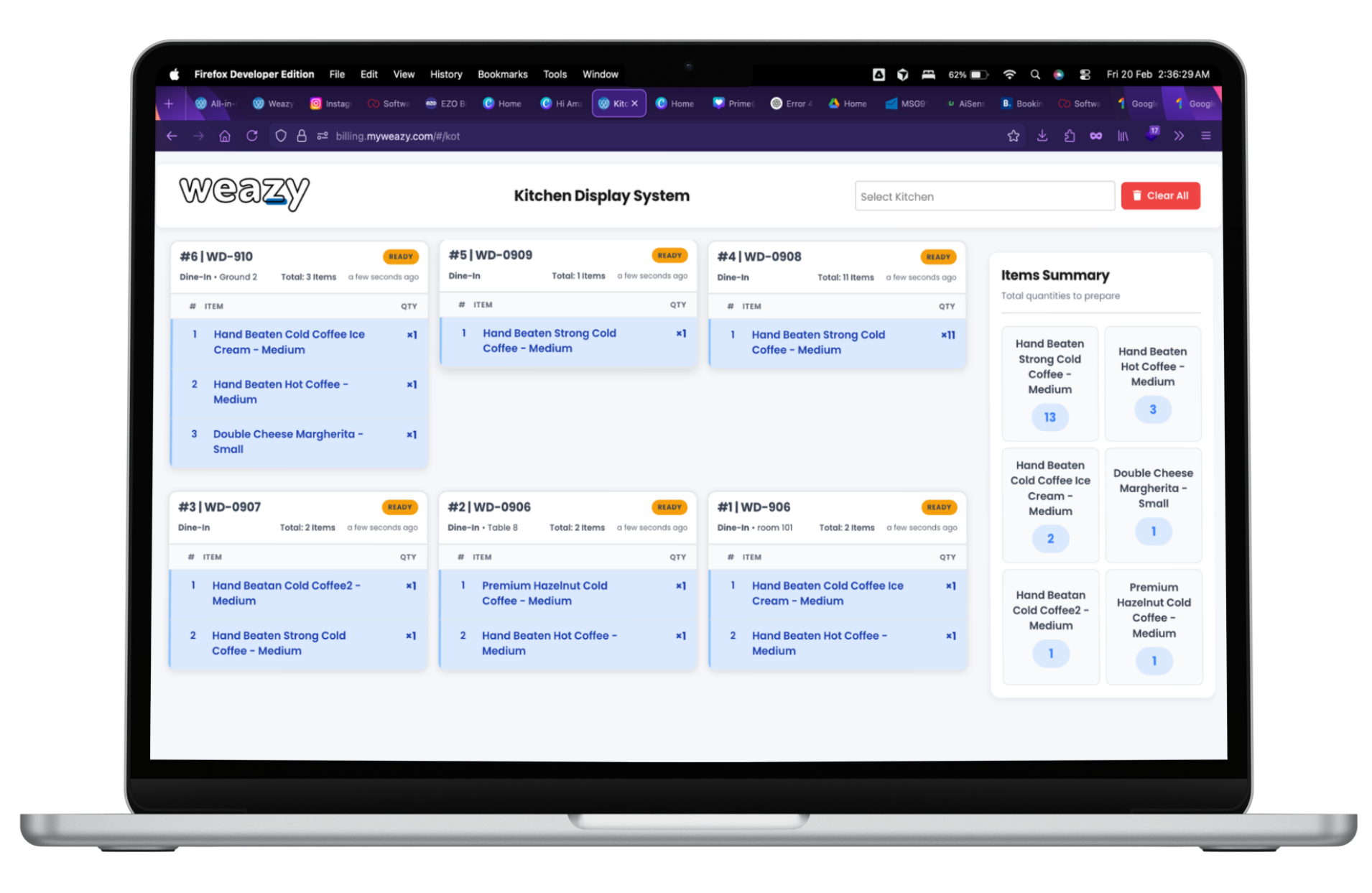
Replace noisy dot-matrix printers with smart screens. Chefs see orders in real-time, color-coded by urgency. Prep time tracking, item-wise view, and one-tap "Ready" to notify waiters.
Real-Time Sync
Prep Timer
Zero Paper
Kitchen Display — Main
3 Orders
#42 • T2
2x Burger, 1x Fries
No onion, Extra cheese
5 min
Just now
Just now
#41 • T5
1x Pasta, 2x Coke
Ready
#40 • T1
1x Pizza Margherita
8 min
Beyond Paper Tickets
Paper Tickets Are Yesterday
Dot-matrix printers are loud, slow, and easy to lose. Thermal paper fades. Handwriting is hard to read. Weazy KDS shows every order on a clear, auto-updating screen. No printing. No waste.
-
Silent Kitchen
No more printer noise. Focus on cooking.
-
Smart Queue
Orders sorted by fire time. Urgent orders highlighted.
-
Zero Paper
Save on thermal rolls. Go green.
Built for Chefs
Everything the Kitchen Needs
Prep Time Tracking
Each order shows elapsed time. Red = overdue, Yellow = getting close. Never let an order sit too long.
Color-Coded Urgency
Urgent orders stand out. Cold/prep orders in blue. Easy to prioritize at a glance.
Item & Order View
Switch between order-wise (table #42) and item-wise (all burgers). Best of both worlds.
Mark Ready
One tap to mark order ready. Waiter/Captain App gets notified. Serve while it's hot.
Special Instructions
"No onion", "Allergy: nuts" — displayed prominently. Zero miscommunication.
Multi-Station Support
Grill, Cold, Bar — route orders to the right station. Or one screen for small kitchens.
At a Glance
Instant Priority Understanding
URGENT
Overdue or rush orders. Get these out first.
NORMAL
On-time orders. Prep in sequence.
COLD / PREP
Desserts, salads. Can wait. Plan ahead.
One Screen, All Channels
Orders Flow From Everywhere
Captain App
POS
QR Order
Online
Restaurant Ecosystem
Complete the Loop
Frequently Asked Questions
Any Android tablet or PC with a browser. Kitchen TVs with a stick (Fire TV, Chromecast) work too. Weazy KDS is web-based — no special hardware required.
Yes. Configure stations (Grill, Cold, Bar) and route items accordingly. Each station gets its own screen showing only relevant orders.
KDS works best with a stable connection. For redundancy, use a mobile hotspot or backup connection. Orders fired before downtime remain visible until sync restores.